

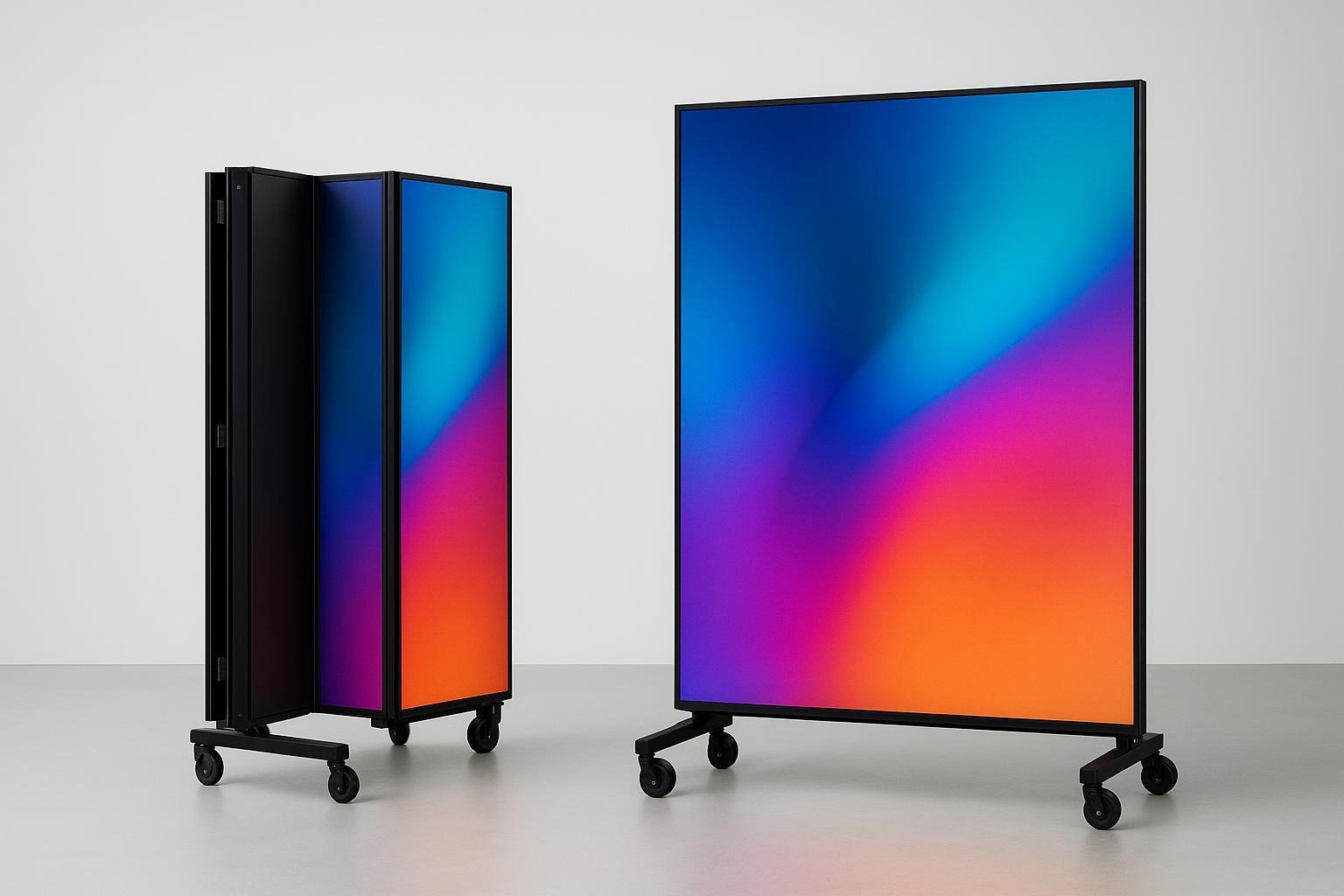
If you’ve ever had to set up a booth, pop-up, or retail promo on a tight schedule, you know the pain: prints crease, TVs look too small, and every extra cable burns minutes.
A foldable LED poster is a practical fix—big-screen impact in a format you can roll in, unfold, and run quickly. In this guide, you’ll see what it is, where it works best, and which specs actually matter so you don’t overbuy (or rent the wrong model).
Table of contents
What Is a Foldable LED Poster?
A foldable LED poster is a freestanding LED display—typically a tall, poster-shaped screen on a wheeled base—that folds down for transport and storage.
You roll it into place, unfold and lock the panels, plug in power, and play content. Compared with a rigid LED poster, the big difference is operational: folding reduces shipping volume and makes frequent move-ins (events, pop-ups, roadshows, rotating store promos) easier.
Most models are designed for indoor commercial spaces and temporary setups, so buyers should treat the fold mechanism, stability, and service access as core specs—not just pixel pitch.
Key Benefits of Foldable LED Posters
Most teams don’t fail because they picked the wrong content. They fail because the display is a pain to deploy.
A foldable LED poster is built for problems you actually feel on site:
Fast changeovers (pop-ups, roadshows, multi-day shows)
Small crews (one or two staff should handle it)
Tight storage (backrooms and booth crates are always full)
Messaging that changes (pricing, promos, schedules, sponsor rotations)
Foldable LED Poster vs Rigid LED Poster vs Print Display
This isn’t just “digital vs print.” It’s workflow.
A rigid LED poster can look great, but it ships at full size every time.
A foldable LED poster display trades mechanical complexity (hinges, latches, sensors) for easier transport and storage.
A print poster is fast and cheap, but it can’t animate or update.
Spec comparison table
What you’re comparing | Foldable LED poster | Rigid LED poster | Traditional print poster |
|---|---|---|---|
Visual impact | High (video + motion) | High (video + motion) | Low–medium (static) |
Portability | High (folds for transport) | Medium (bulkier) | High (lightweight) |
Setup time | Fast (varies by model) | Fast–medium | Very fast |
Content updates | USB/Wi‑Fi/CMS | USB/Wi‑Fi/CMS | Reprint |
Best fit | Events, pop-ups, rental, stores that move displays | Semi-permanent retail or venues | Short promos, price boards |
Ongoing cost | Power + service | Power + service | Reprint cost |
If you want to see what “portable” really looks like in the real world, watch how a foldable LED poster is packed for transport. This quick demo shows the unit going into a sloped flight case step by step—exactly the kind of workflow that matters for fast changeovers and small crews.
Key Specs to Consider Before You Buy or Rent
Specs matter. But only a few of them decide whether this is easy to live with.
Below, I’ll use one concrete example spec sheet so you can see what “real specs” look like. Then I’ll tell you exactly what to ask for on any model.
Concrete reference: Linsn LED publishes a full spec table for the LC60TF tri-fold unit here: LC60TF Poster LED Display specifications.
Pixel Pitch
Pixel pitch is the distance between pixels. Smaller numbers look sharper up close.
If your screen is near a product shelf, a counter, or a booth demo table, plan for close viewing.
Example (LC60TF options): P1.25, P1.538, P1.86, P2, and P2.5.
Brightness
Brightness is where buyers get burned.
A screen that looks fine in a warehouse can look washed out at a glass storefront.
Example (LC60TF brightness): 600 nits.
Rule of thumb: some buyer guides suggest 600–1500 nits for indoor and 2000–5000 nits for outdoor placements.
Fold Mechanism
Ask these questions before you buy or rent:
Is it bi-fold or tri-fold?
What protects LEDs at fold edges during transport?
What stops a rushed tech from folding it the wrong way?
If alignment drifts over time, what is the repair path?
Example (LC60TF): left-right tri-fold, with a fold-sensing system that can switch display modes when folded or unfolded.
Weight and Portability
“Portable” doesn’t mean light.
Example (LC60TF net weight): 79 kg.
Look for:
caster quality
leveling feet (especially if you plan to splice)
a case designed for ramps and door thresholds
Power Requirements
Power planning is boring until it isn’t.
Example (LC60TF power): 940 W max / 313 W average.
Ask for max and average. Ask what brightness the “max” assumes.
Content Management
This matters more than most buyers expect.
Ask:
Can staff update content from a phone?
Can you schedule playlists?
Can it run offline when venue Wi‑Fi is bad?
Can you lock settings for rentals?
Maintenance and environment
If the unit needs rear service, plan the clearance behind it.
Example (LC60TF): rear maintenance for modules and power supply.
Also check protection ratings.
Example (LC60TF IP rating): IP40 front / IP20 rear. That’s indoor-style protection, not rain proof.
Best Application Scenarios
Retail stores
Entrance “stopper” display
Product launches and seasonal promos
Aisle endcaps and feature zones
If you want more retail placement ideas, see Linsn’s retail LED display screen ideas for shops.
Trade shows and exhibitions
A foldable LED poster is a clean way to get motion without building a full wall.
Best uses:
attract loops at the booth edge
short demo clips behind a presenter
sponsor rotations for shared booths
Video helps you understand the folding and setup flow.
AV rental fleets
This format can rent well because it looks high-end and can be deployed fast.
But you need clear rules on handling, transport, and who is allowed to fold it.
Hotels, malls, and other commercial spaces
If the unit will live in a lobby or corridor, uptime and easy control matter more than folding.
For broader commercial use cases, see Linsn’s commercial LED display applications.
Should You Buy or Rent?
Renting usually wins when
You have 1–4 events per year.
You don’t want to own maintenance.
You need the impact for a short campaign.
Buying usually wins when
You’ll use it weekly or daily.
You want consistent quality across locations.
You have someone who owns content updates.
Hybrid is the safest way to choose
Rent first. Learn what frustrates your team. Then buy the exact spec that fixes those problems.
Pro Tip: For LED poster rental fleets, treat setup time and damage rate as the true cost drivers.
Buyer Checklist Before Placing an Order
Display and viewing
Typical viewing distance (closest and most common)
Pixel pitch chosen for that distance
Brightness chosen for that placement (window vs indoor)
Refresh rate is suitable if the display will be filmed
Portability and setup
Total weight is manageable for your team and venues
Wheels and base are stable on ramps and thresholds
Setup steps are clear and repeatable (unfold, lock, level, power, signal, content)
Fold mechanism and durability
Folding type is clear (bi-fold vs tri-fold)
Edge protection exists for transport
Service plan exists if alignment drifts
Content and control
Your team can update content without “the one tech person”
Scheduling is possible (dayparting, playlists)
Offline playback is possible
Power and environment
Max and average power are known
IP rating matches the environment
If you want to compare other display formats too, start from the Linsn LED display products.
FAQs
1) How long does setup take?
For a portable poster unit, physical setup can be minutes. Total setup depends on content and signal. Ask vendors to break it into physical, signal, and content time.
2) Will the fold mechanism wear out?
It can last, but it’s a moving part. Ask about cycle testing, hinge design, edge protection, and the service path if alignment shifts.
3) Can I use it outdoors?
Sometimes. Many poster units are indoor-focused. Check IP rating and wind stability. Don’t assume “portable” means “outdoor.”
4) How do we manage content across stores or shows?
Confirm the workflow: Wi‑Fi vs USB, scheduling, remote publishing, and offline playback. Make sure it matches how your team actually works.
5) What power do I need?
Ask for max and average power and plan for venue circuits. Don’t forget cable routing and trip hazards.
6) What’s the most common buyer mistake?
Buying the wrong pixel pitch for the viewing distance. Second is underestimating brightness for a bright placement.
Get a Quote for Your Project
If you’re comparing options right now, don’t guess.
Send your project details and we’ll recommend the right foldable LED poster configuration and quote it accurately.
Include:
viewing distance (closest and typical)
the placement (booth hall, shop entrance, window, etc.)
single unit or multi-unit splicing
how often you’ll move it (daily / weekly / occasionally)
power availability on site
Then contact Linsn LED with your requirements and we’ll come back with a clear recommendation and a fast quote.

